How to find certificates that are expiring on your server using PowerShell – Part 2

If you read part 1 then you know it’s pretty easy to get a list of certificates and display the days remaining until they expire. But what if you only want a list of certificates that are currently assigned (has a binding) to websites?
This is a little more challenging, but PowerShell provides some tools to help with this problem. First, let me break the steps down for you so you can try it, then I will show a single one-liner that can be easily used with PowerShell remoting to gather the list from multiple servers.
First, you need to import the WebAdministration module to load the IIS: file provider. This provider contains the SSLBindings for the websites. This will tell you which sites are using certificates.
PS> Import-Module WebAdministration
Gather a list of all certificates on the server and store them a variable:
PS> $CertAll=Get-ChildItem -Path Cert:\LocalMachine\My
Gather a list of only the certificates that are bound in IIS:
PS> $CertInUse=Get-Childitem -Path IIS:\SslBindings
Using the PowerShell Compare-Object cmdlet, compare the two lists and only return the ones that are the same.
PS> $CertSame=Compare-Object -ReferenceObject $CertAll -DifferenceObject $CertInUse -Property ThumbPrint -IncludeEqual -ExcludeDifferent
Using the list of thumbprints from the difference object, get each certificate and display the days remaining until it expires.
PS> $CertSame | foreach{Get-Childitem –path Cert:\LocalMachine\My\$($_.thumbprint)} | Select-Object -Property Subject, @{n=’ExpireInDays’;e={($_.notafter – (Get-Date)).Days}}
You can also filter the display so that only the certificates that will expire in the next 90 days is displayed.
PS> $CertSame | foreach{Get-Childitem -path Cert:\LocalMachine\My\$($_.thumbprint)} | Select-Object -Property Subject, @{n=’ExpireInDays’;e={($_.notafter – (Get-Date)).Days}} | Where-Object {$_.ExpireInDays -lt 90}
And it can all be done in one line – Great for checking multiple servers using PowerShell Remoting.
PS> Compare-Object -ReferenceObject (Get-ChildItem -Path Cert:\LocalMachine\My) -DifferenceObject (Get-Childitem -Path IIS:\SslBindings) -Property ThumbPrint -IncludeEqual -ExcludeDifferent | Foreach{Get-Childitem -path Cert:\LocalMachine\My\$($_.thumbprint)} | Select-Object -Property Subject, @{n=’ExpireInDays’;e={($_.notafter – (Get-Date)).Days}} | Where-Object {$_.ExpireInDays -lt 90}
Kinda cool!
Jason Helmick
Director of PowerShell Technologies
Interface Technical Training

A Simple Introduction to Cisco CML2
Mark Jacob, Cisco Instructor, presents an introduction to Cisco Modeling Labs 2.0 or CML2.0, an upgrade to Cisco’s VIRL Personal Edition. Mark demonstrates Terminal Emulator access to console, as well as console access from within the CML2.0 product. Hello, I’m Mark Jacob, a Cisco Instructor and Network Instructor at Interface Technical Training. I’ve been using … Continue reading A Simple Introduction to Cisco CML2
Creating Dynamic DNS in Network Environments
This content is from our CompTIA Network + Video Certification Training Course. Start training today! In this video, CompTIA Network + instructor Rick Trader teaches how to create Dynamic DNS zones in Network Environments. Video Transcription: Now that we’ve installed DNS, we’ve created our DNS zones, the next step is now, how do we produce those … Continue reading Creating Dynamic DNS in Network Environments
Cable Testers and How to Use them in Network Environments
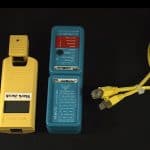
This content is from our CompTIA Network + Video Certification Training Course. Start training today! In this video, CompTIA Network + instructor Rick Trader demonstrates how to use cable testers in network environments. Let’s look at some tools that we can use to test our different cables in our environment. Cable Testers Properly Wired Connectivity … Continue reading Cable Testers and How to Use them in Network Environments
Write a Comment


See what people are saying...